-
[Nest.js] 12 - Authentification - Passport & JWTNest.js 2021. 9. 15. 12:30
Contents
1. How to use Passport Module
2. Module Installation
3. Implementation Authentification
4. Check Request Object - 1
5. AuthGuard()
6. Custom Decorator
7. Check Request Object - 2
8. Apply Authentification on another Module
1. How to use Passport Module

- So far, I have done till #3 sends the JWT to the brower, which is checked with Postman.
- In this content, Passport module will be used to implement below steps
#4 an logged user sends a request that includes a Token in Header.
#5 In server, checks the received token by using "Secret text".
Once it validated OK, the "username", which is in the received token, gets the user information from DB.#6 Finally, a server cordespond to the client's request.
2. Module Installation
- @types/passport-jwt
$ npm install @types/passport-jwt --save
3. Implemetation Authentification
- src/auth/jwt.strategy.ts
import { Injectable, UnauthorizedException } from "@nestjs/common";
import { PassportStrategy } from "@nestjs/passport"; // 1
import { InjectRepository } from "@nestjs/typeorm";
import { ExtractJwt, Strategy } from "passport-jwt";
import { User } from "./user.entity";
import { UserRepository } from "./user.repository";

@Injectable() // 2
export class JwtStrategy extends PassportStrategy(Strategy) { // 1
  constructor(
    @InjectRepository(UserRepository)
    private userRepository: UserRepository
  ) {
      super({ // 3
        secretOrKey: 'Secret1234', // 3.1
        jwtFromRequest: ExtractJwt.fromAuthHeaderAsBearerToken(), // 3.2
      })
  }

  async validate(payload) { // 4
      console.log(payload); // 5
      const { username } = payload;
      const user: User = await this.userRepository.findOne({ username });

      if( !user ) {
          throw new UnauthorizedException();
      }

      return user; // 6 return user 안할 시, 401 에러발생. 어딘가에서 체크를 함.
  }
}
// 1. extends PassportStrategy() :
The class extends the PassportStrategy class defined by @nestjs/passport package.
PassportStrategy(Strategy)
I am passing the JWT strategy defined by the passport-jwt Node.js package.// 2. @Injectable() : Nest.js can inject it anywhere this service is needed via its DI system.
// 3. Passes two important options to the parent class, which is PassportStrategy class.
// 3.1 secretOrKey: 'Secret1234':
This configures the secret key that JWT Strategy will use to decrypt the JWT token
in order to validate it and access its payload.
(Will see in AuthModule code below.)// 3.2 jwtFromRequest: ExtractJwt.fromAuthHeaderAsBearerToken()
This configures the Strategy (imported from passport-jwt package)
to look for the JWT in the Authorization Header of the current Request passed over as a Bearer Token.// 4. async validate(payload) :
The validate method of your JwtStrategy will only be called when the token has been verified
in terms of the encryption (corrrect key was used to sign it, in my case secretKey) and it is not expired.
Only after those two things have been checked, validate is called with the payload.
With it, I can then e.g. check if the user still exists. So the three steps are:
1. Token was signed with your secret key
2. Token is not expired
3. Custom payload validation// 5. console.log(payload)
{ username: 'bcryptest2', iat: 1631676086, exp: 1631679686 }

// exp - iat = 3600 seconds that I set up in AuthModule
- src/auth/auth.module.ts
...
import { JwtModule } from '@nestjs/jwt';
import { PassportModule } from '@nestjs/passport';
import { JwtStrategy } from './jwt.strategy';

@Module({
  imports: [
    PassportModule.register({ defaultStrategy: 'jwt' }), // 1
    JwtModule.register({ // 2
      secret: 'Secret1234', // 2.1
      signOptions: {
        expiresIn: 3600,
      },
    }),
    TypeOrmModule.forFeature([UserRepository]),
  ],
  controllers: [AuthController],
  providers: [AuthService, JwtStrategy], // 3
  exports: [JwtStrategy, PassportModule], // 4
})
export class AuthModule {}
// 1. defaultStrategy: 'jwt' - To validate a user with a default strategy, here is 'jwt'
// 2. JwtModule.register({..}) - This is for Authentification part, and mostly used in sign() method
// 2.1 secret: 'Secret1234' - this is to generate a token, also, to validate the token with this secret text.
// 3. register the JwtStrategy class to use it in its module
// 4. register the JwtStrategy, and PassportModule to use them in other modules.
4. Check Request Object
- so far, token is sent to a user when username and password are validated in DB.
- Also, token is validated in validate() method, and return the user Information in JwtStrategy class.
- Let's check the returned user information in route handler's request object.
- src/auth/auth.controller.ts
...

@Controller('auth')
export class AuthController {
  constructor(private authService: AuthService) {}

  ...

  @Post('/test')
  test(@Req() req) {
    console.log('log', req);
  }
}
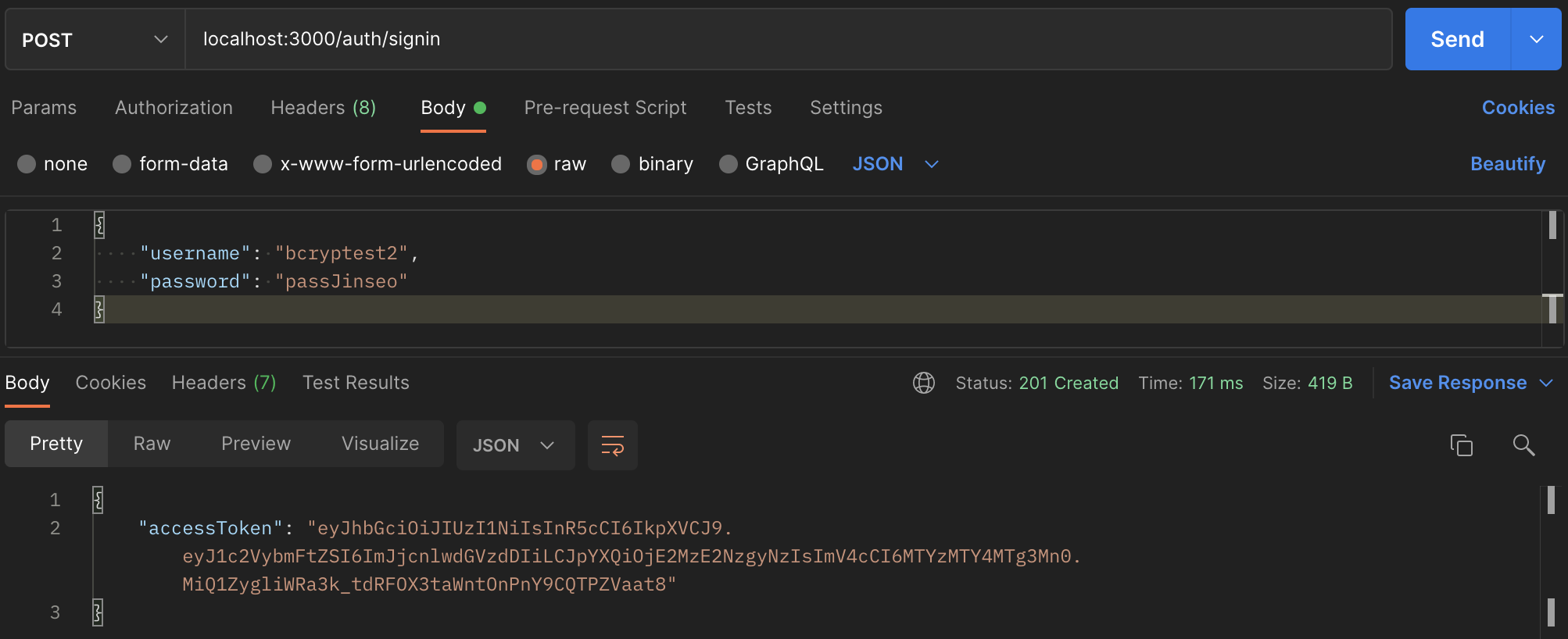
- Sign in first to get a token
- Send a request with the given token

// 1. Token Type : Bearer Token
- console.log('log', req) in Terminal
log <ref *2> IncomingMessage {
  ...
  body: {},
  route: Route {
    path: '/auth/test',
    stack: [ [Layer] ],
    methods: { post: true }
  },
  ...
}
## cannot find "User" even though it has returned in validate() method, will solve this issue at the next content
5. AuthGuard()
- The AuthGuard that we'll build now assumes an authenticated user (and that, therefore, a token is attached to the request headers). It will extract and validate the token, and use the extracted information to determine whether the request can proceed or not.
- node_modules/@nestjs/passport/dist/auth.guard.d.ts
import { CanActivate } from '@nestjs/common';
import { Type } from './interfaces';
import { IAuthModuleOptions } from './interfaces/auth-module.options';
export declare type IAuthGuard = CanActivate & {
    logIn<TRequest extends {
        logIn: Function;
    } = any>(request: TRequest): Promise<void>;
    handleRequest<TUser = any>(err: any, user: any, info: any, context: any, status?: any): TUser;
    getAuthenticateOptions(context: any): IAuthModuleOptions | undefined;
};
export declare const AuthGuard: (type?: string | string[]) => Type<IAuthGuard>;
// It adds the return "user" information into Request Object.
- src/auth.auth.controller.ts : use the AuthGuard()
...

@Controller('auth')
export class AuthController {
  constructor(private authService: AuthService) {}

  ...

  @Post('/test')
  @UseGuards(AuthGuard()) // 1
  test(@Req() req) {
    console.log('log', req);
  }
}
// 1. @UseGuards(AuthGuard()) - register the AuthGuard() in Controller-scope
- console.log('log', req) in Terminal with AuthGuard()
log <ref *2> IncomingMessage {
  ...
  body: {},
  route: Route {
    path: '/auth/test',
    stack: [ [Layer] ],
    methods: { post: true }
  },
  authInfo: undefined,
  user: User { // 1
    id: 10,
    username: 'bcryptest2',
    password: '$2a$10$/EgrVgaQBVSBM1dUtHay5.4XfsES49eOzVjZ4Nxj95w3YAvFn3Eh6'
  },
  ...
}
// 1. now we can see the "user" information that returned at validate() method.
## will find an easy way to get the "user" only from Request Object
6. Custom Decorator
- now, we can manually get "user" information from the request object, like below
@Post('/test')
@UseGuards(AuthGuard())
  test(@Req() req) {
    const user = req.user;
    ...
  }
- However, in order to make your code more readable and transparent,
I can create a @GetUser() custom decorator and reuse it across all of your controllers.- src/auth/get-user.decorator.ts
import { createParamDecorator, ExecutionContext } from '@nestjs/common';
import { User } from './user.entity';

export const GetUser = createParamDecorator(
  (data, ctx: ExecutionContext): User => {
    const req = ctx.switchToHttp().getRequest();
    return req.user;
  },
);
- src/auth/auth.controller.ts
...
import { GetUser } from './get-user.decorator';
import { User } from './user.entity';

@Controller('auth')
export class AuthController {
  constructor(private authService: AuthService) {}

  ...

  @Post('/testCustom')
  @UseGuards(AuthGuard())
  testCustomDecorator(@GetUser() user: User) { // 1
    console.log('user', user);
  }
}
// 1. use the custom decorator in parameter
7. Check Request Object - 2
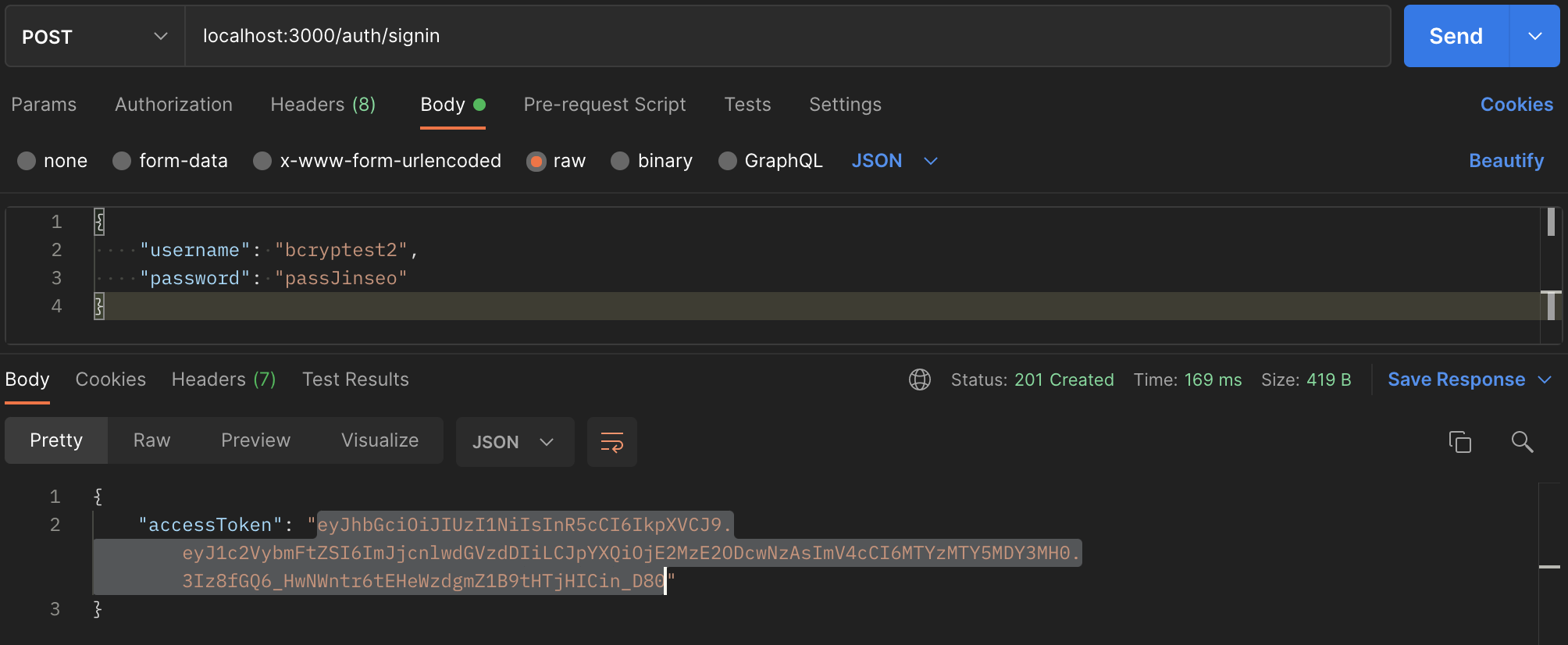
- Sign-in request and Get AccessToken
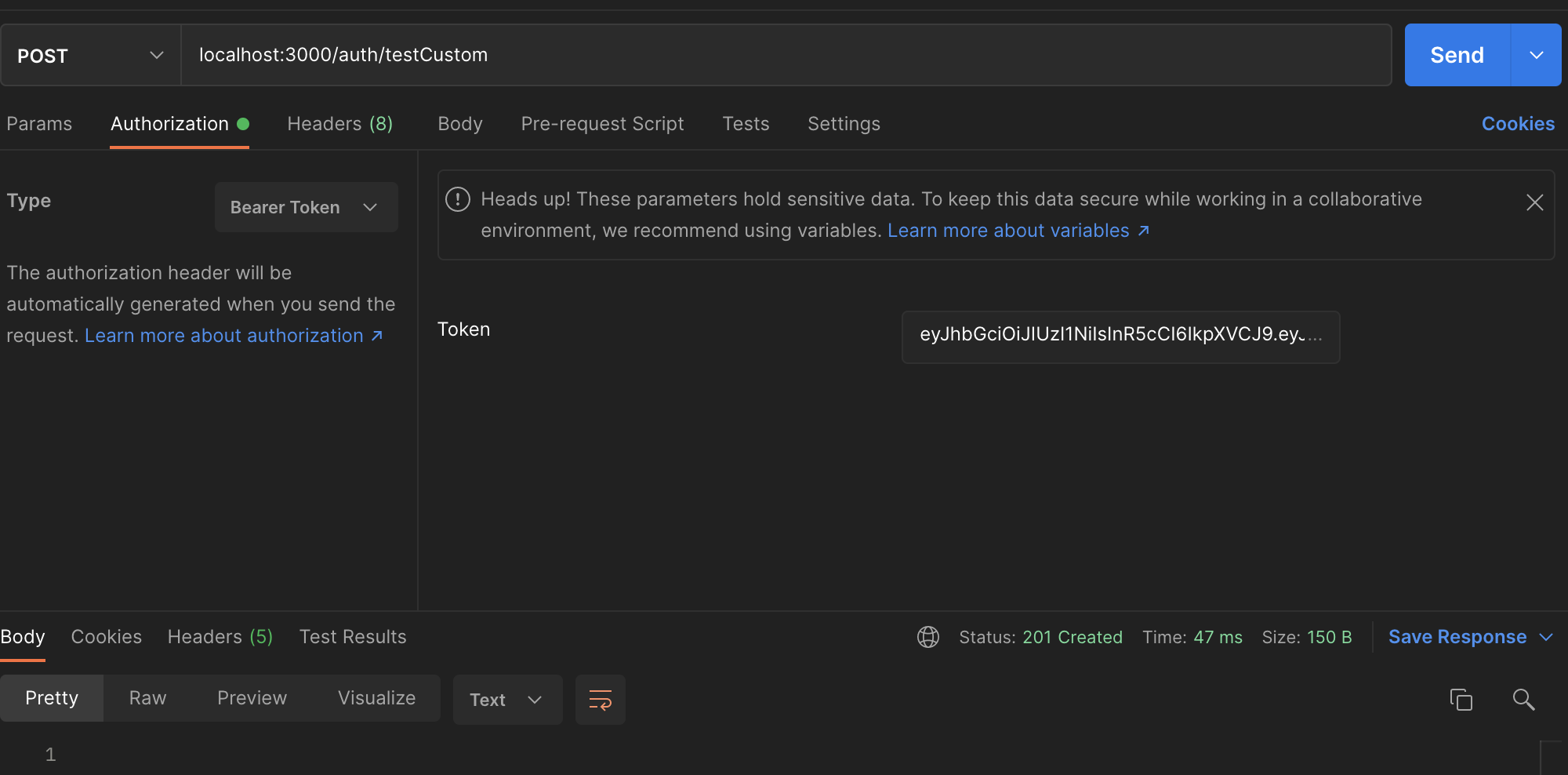
- Send a Request with the accessToken
- console.log('user' user) in Terminal

// now, we can Automatically get "user" only using @GetUser(), which is Custom Decorator.
8. Apply Authentification on another Module
- This time, I will apply AuthModule on BoardModule to allow requests with an authenticated user.
- src/boards/boards.module.ts
...
import { AuthModule } from 'src/auth/auth.module';

@Module({
  imports: [
    TypeOrmModule.forFeature([BoardRepository]),
    AuthModule], // 1
  controllers: [BoardsController],
  providers: [BoardsService],
})
export class BoardsModule {}
// 1. import another module, AuthModule, into BoardModule
- src/boards/boards.controller.ts
...
import { AuthGuard } from '@nestjs/passport';


@Controller('boards')
@UseGuards(AuthGuard()) // 1
export class BoardsController {
  constructor(private boardsService: BoardsService) {}

  @Get('/:id')
  getBoardById(@Param('id') id: number): Promise<Board> {
    return this.boardsService.getBoardById(id);
  }

  @Get()
  getAllBoards(@Req() req): Promise<Board[]> {
    console.log(req);
    return this.boardsService.getAllBoards();
  }

  @Post()
  createBoard(@Body() createBoardDto: CreateBoardDto): Promise<Board> {
    return this.boardsService.createBoard(createBoardDto);
  }

  @Put('/:id')
  updateBoard(
    @Param('id') id: number,
    @Body() updateBoardDto: UpdateBoardDto,
  ): Promise<Board> {
    return this.boardsService.updateBoard(id, updateBoardDto);
  }

  @Delete('/:id')
  deleteBoard(@Param('id') id: number): Promise<void> {
    return this.boardsService.deleteBoard(id);
  }
}
// 1. @UseGuards(AuthGuard()) - register the AuthGuard() in Controller-scope,
so, it appies to all of the routes in this controller('board').- Sign-in to get an access token

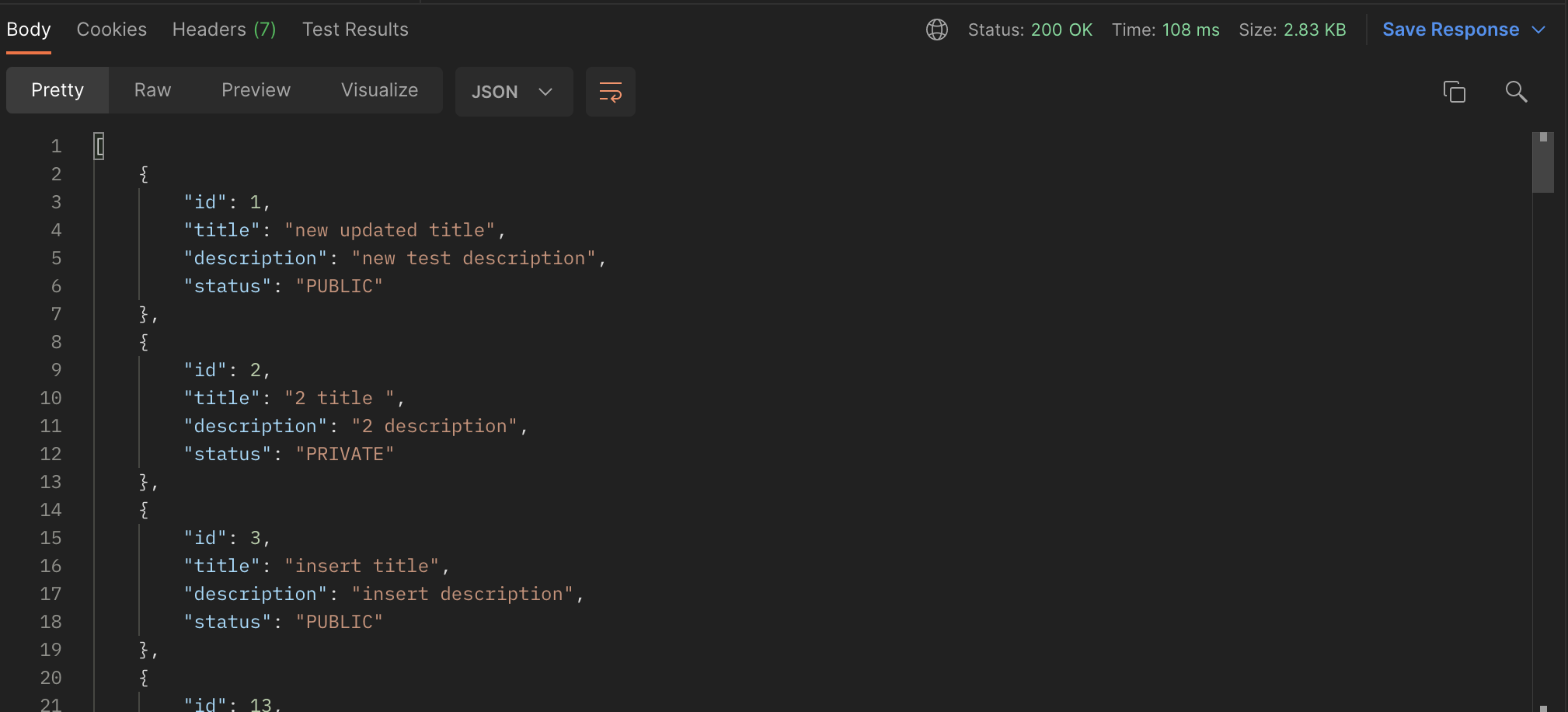
- Send a request to get all boards with the access token
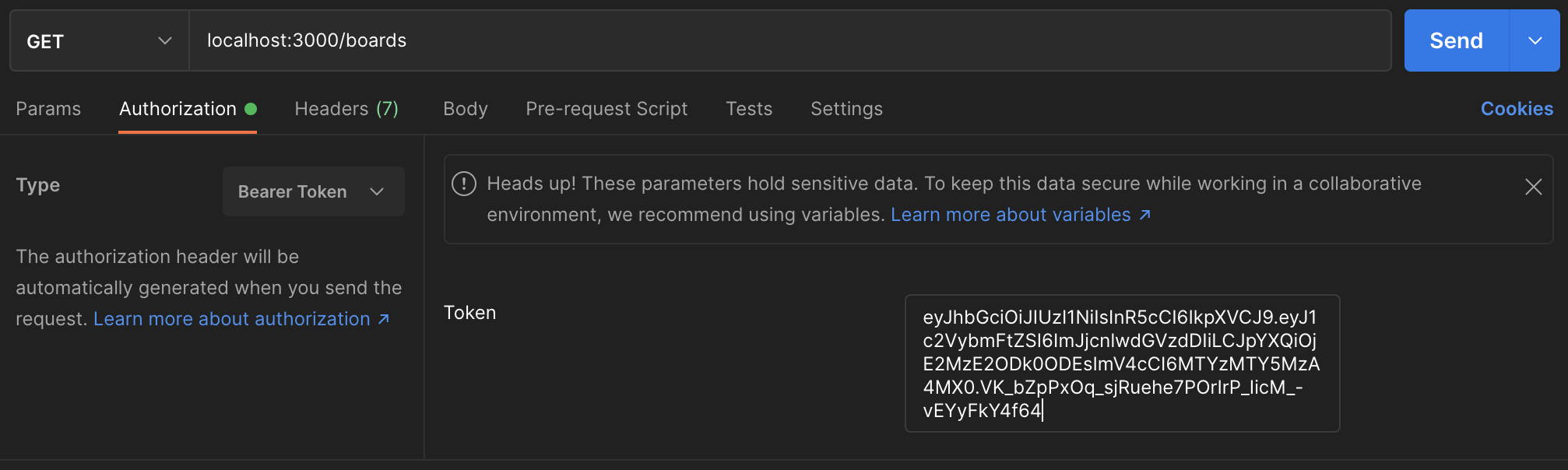
- Response from server
- Send another request without an access token and Response
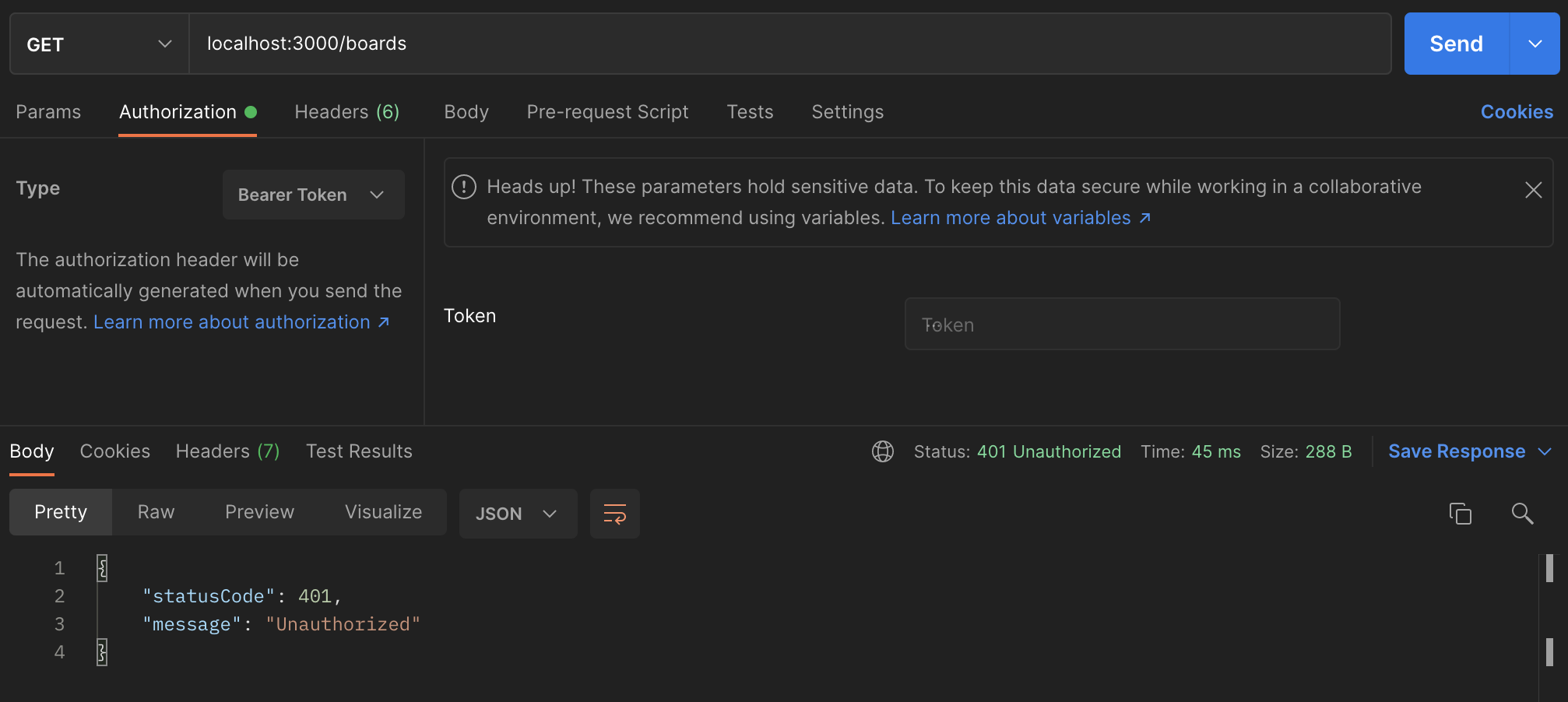
// 401 Unauthorized CODE
- Send another request with a wrong access token

// 401 Unauthorized CODE
'Nest.js' 카테고리의 다른 글
[Nest.js] 14 - Log basic (0) 2021.09.17 [Nest.js] 13 - Relations - One To One, Many To One (0) 2021.09.15 [Nest.js] 11 - Authentification - JWT (0) 2021.09.14 [Nest.js] 10 - Authentification - sign up, log in (0) 2021.09.13 [Nest.js] 9 - Authentification - module/components (0) 2021.09.13